Stop chasing confirmations.
Start knowing who's showing up.
Send buyers a link. They confirm with one tap and it syncs to their calendar. No app, no account, no more no-shows.
Free to start. No credit card required.
You know the drill.
You book a viewing. You text the buyer. You drive 30 minutes to the property.
Nobody shows up.
No call, no message, no apology. And tomorrow you'll do it again — chasing confirmations across WhatsApp, email, and phone, hoping buyers actually remember.
Buyer Prospect
Delivered
Read 2:05 PM
One link. One tap.
One less thing to worry about.
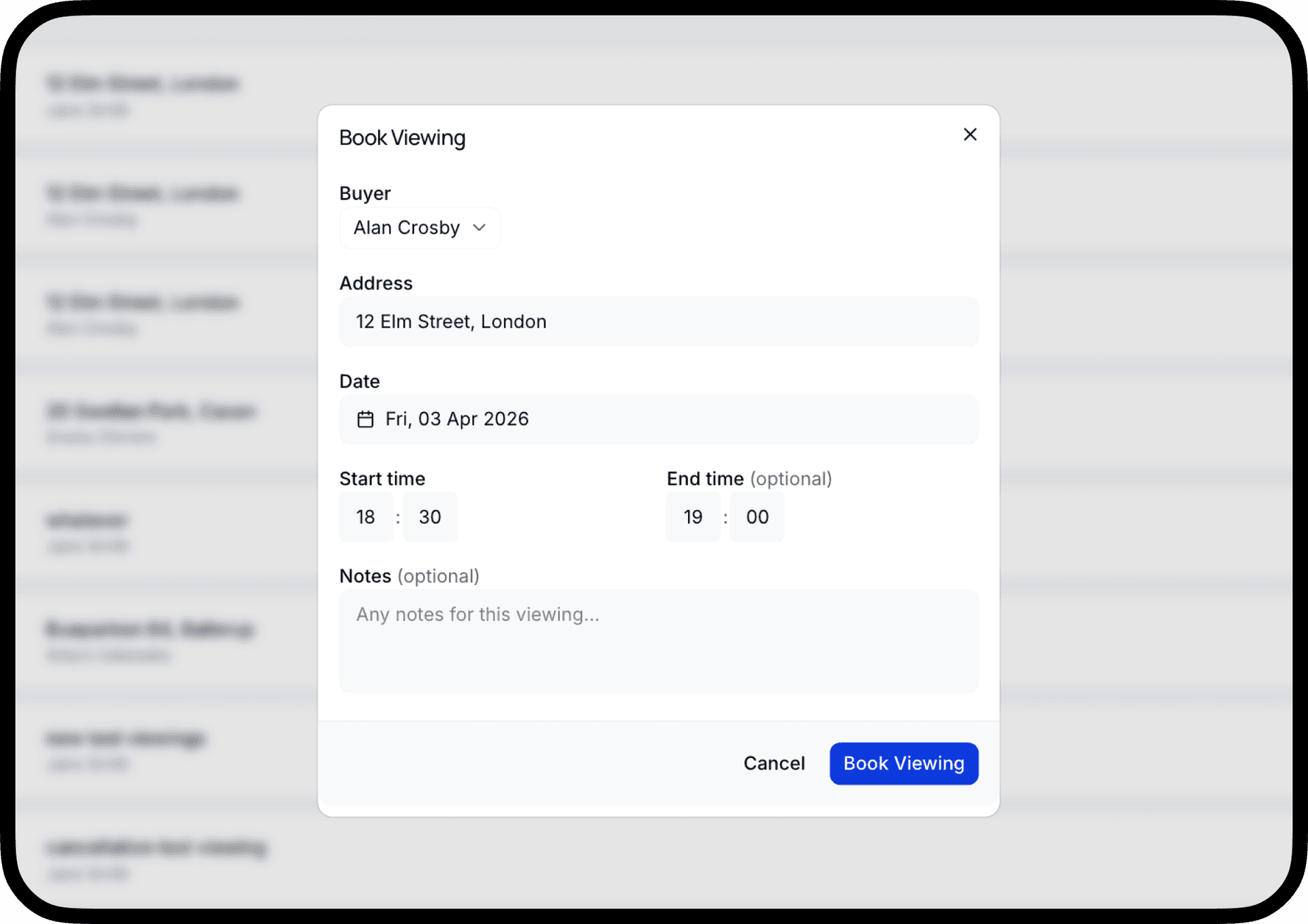
Create the viewing link
Create it in your dashboard — buyer name, property address, date and time. Copy the unique link and send it however you already do — WhatsApp, text, email.
They confirm in one tap
Buyers open the link on their phone. No login required. They tap “Confirm” and it instantly adds the event to their Apple or Google calendar with the address.
You get notified instantly
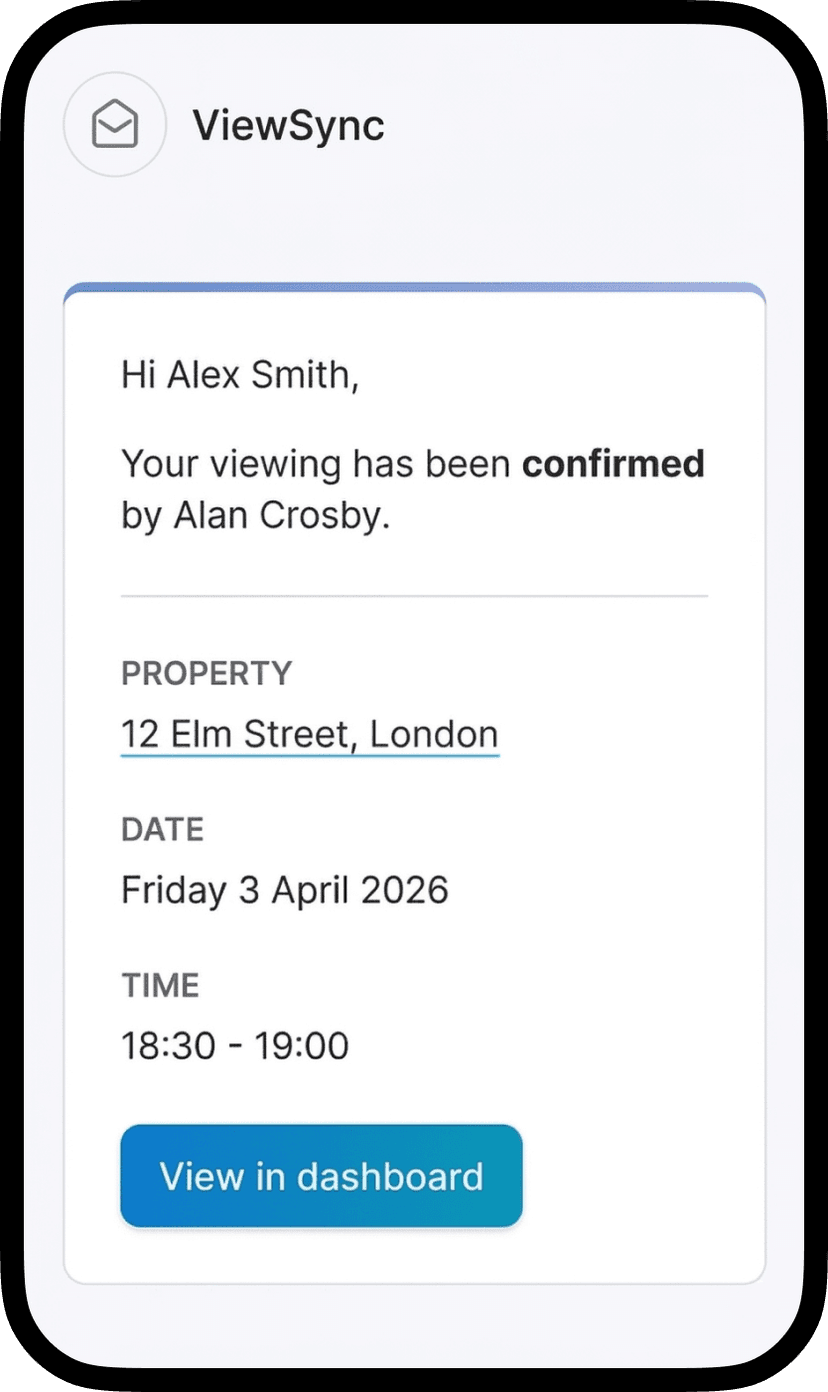
The moment a buyer confirms or declines, you get an email notification with their response. Your dashboard updates in real time too — no refreshing, no checking.
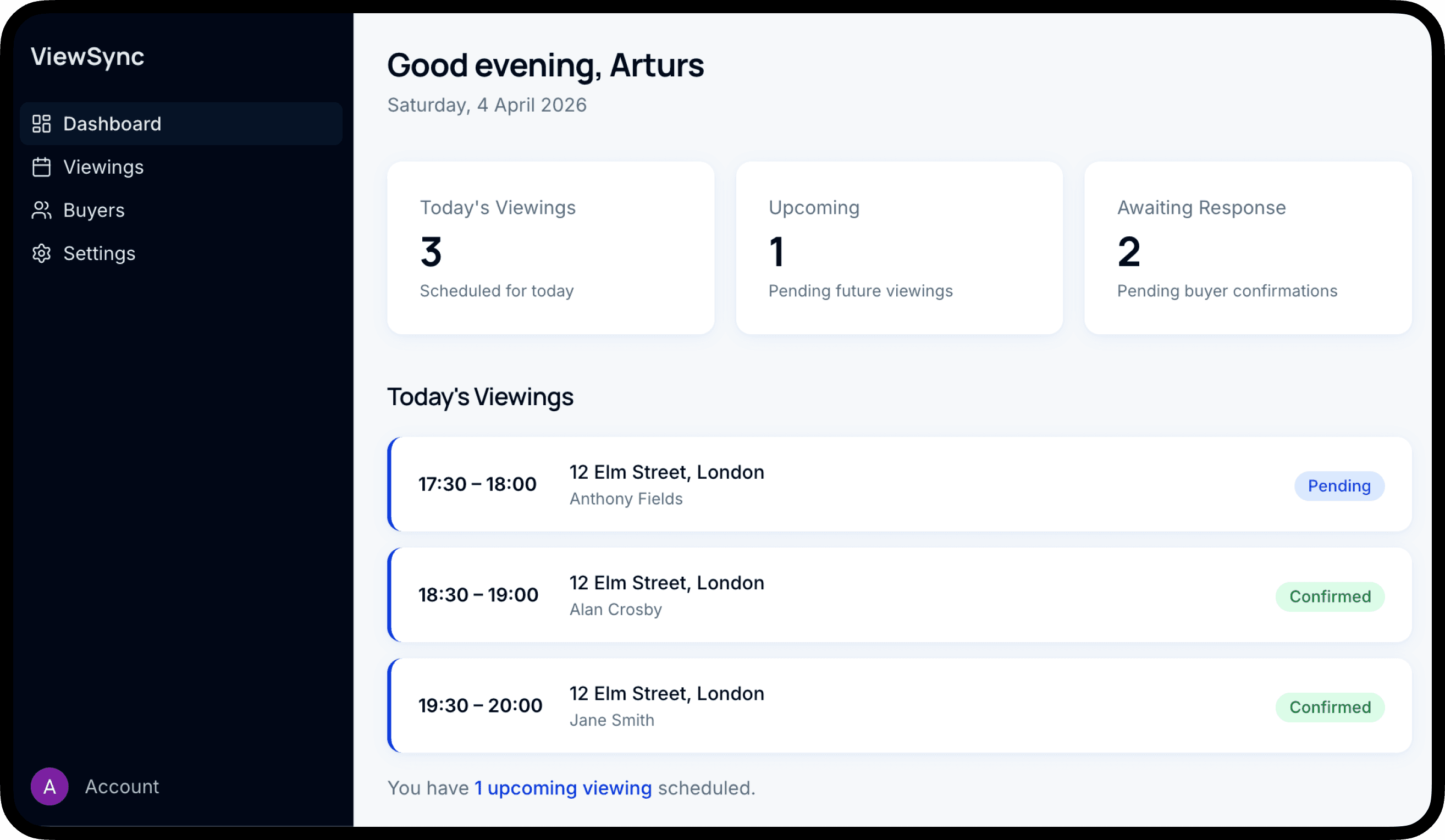
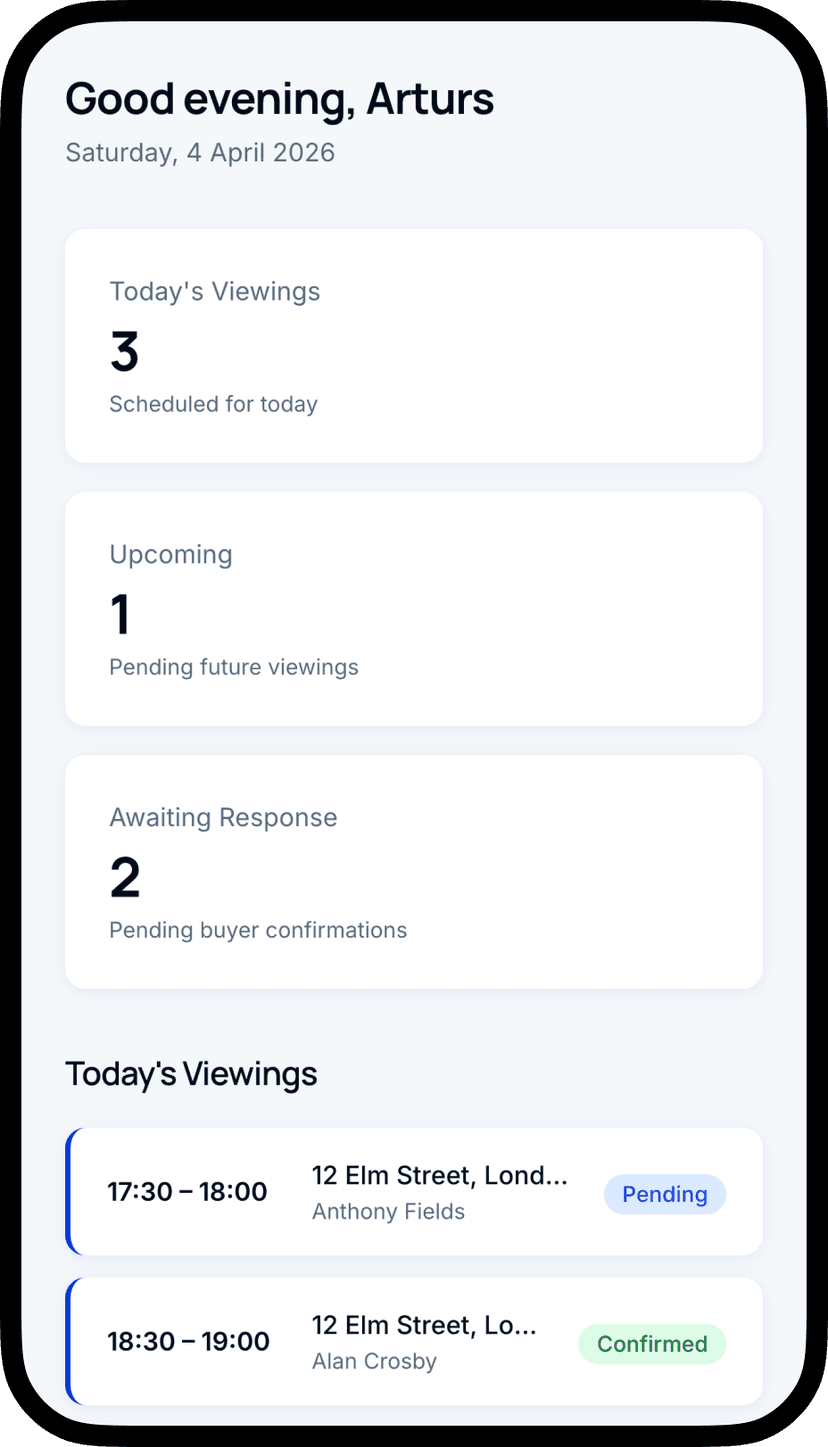
Your dashboard shows it all
See every viewing — confirmed, pending, or cancelled — in one place. No more texting buyers to ask “are we still on?”
Buyers actually remember
When the viewing is in their calendar with the address and time, they show up. A WhatsApp “ok” doesn't do that.
You look professional
Your viewing links carry your brand — your name, your logo, your subdomain. Not a generic scheduling page.
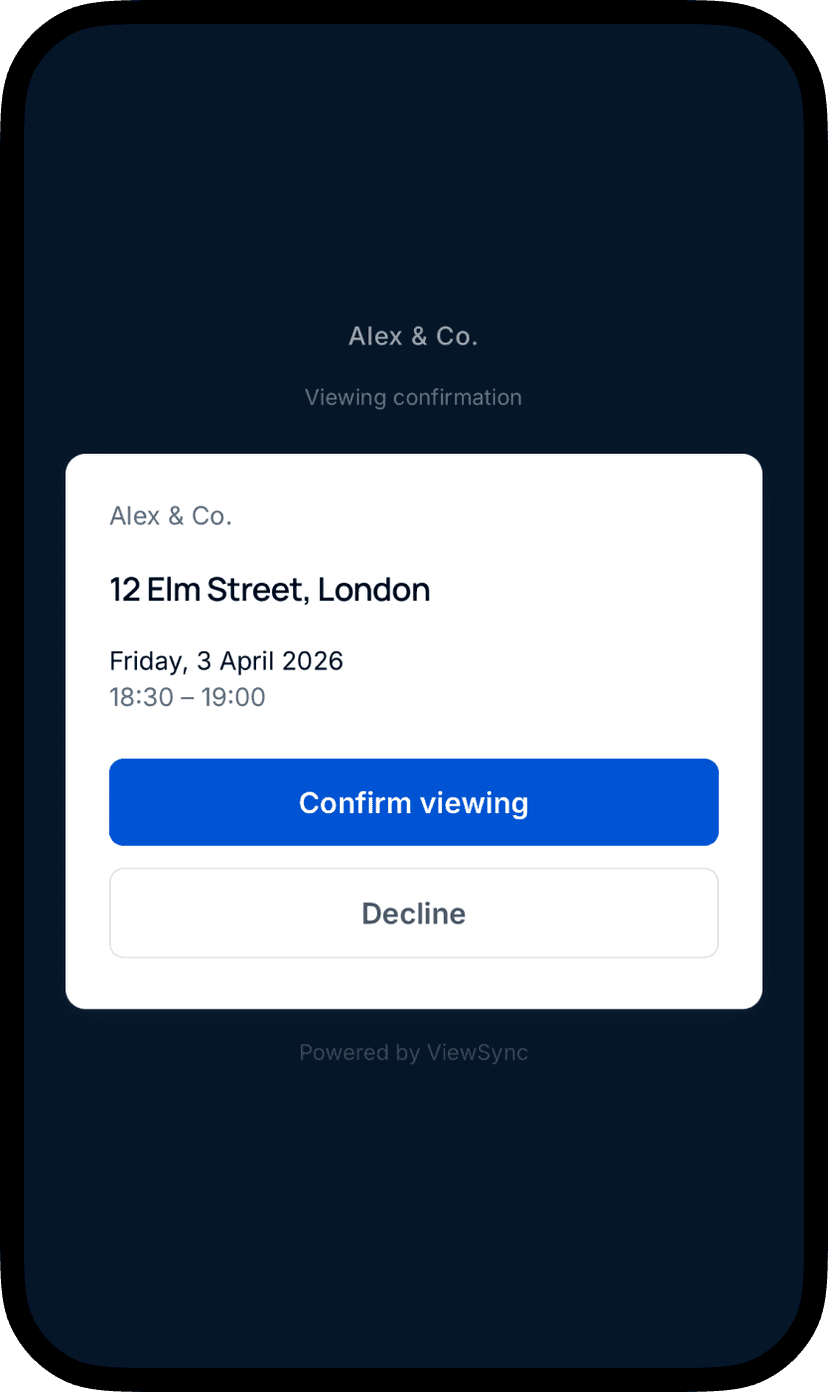
Here's what your buyers see
A clean, mobile-first page with your branding. The property address, date, and time. Two buttons: Confirm or Decline.
When they confirm, they get a calendar file that works on every phone — iPhone, Android, anything. No app needed.
It takes about 5 seconds.
Questions you might have
Your next viewing could be different.
No more chasing. No more guessing. Send a link, get a confirmation, see it on your dashboard.
Free to start. Set up takes 2 minutes.